
Muvio - AI Music Video Maker
AI Song & Music Maker & AI Video & AI PhotoMusic & Audio
4.7275.00 Reviews
- Version
- 1.1.5
- Installs
- 500.00K
- Age Rating
- Teen
Screenshots
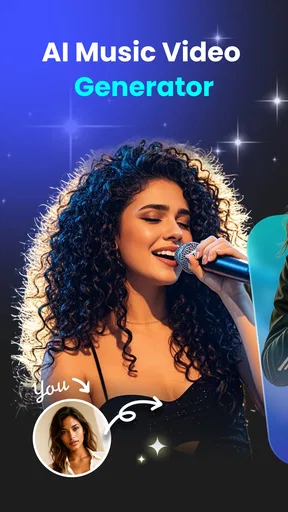

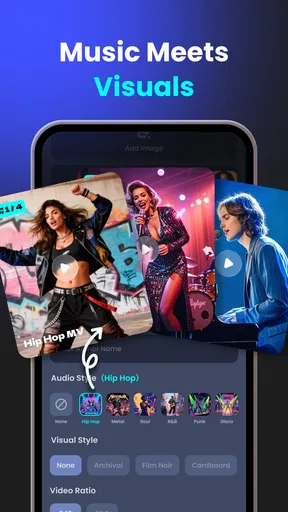
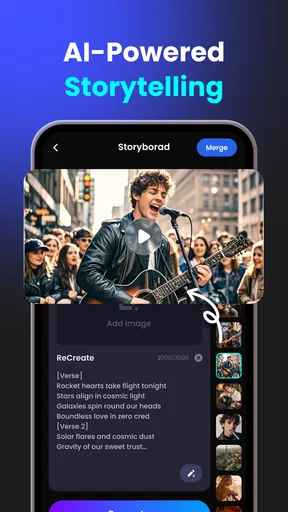
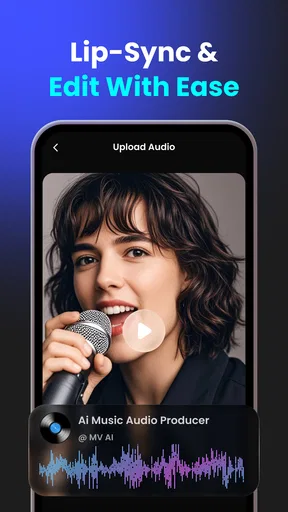
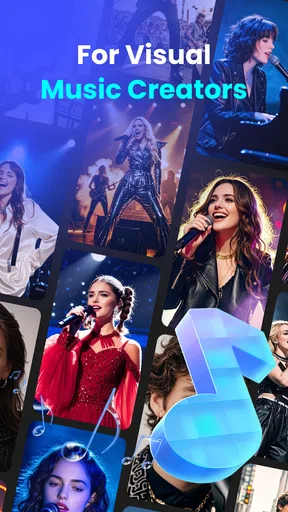
Our Review of Muvio - AI Music Video Maker
 Analysis by Appyee
I approached Muvio - AI Music Video Maker as a practical creative tool rather than a novelty generator. It sits in the Music & Audio category, but its purpose reaches beyond making a song: the app is designed to help turn an idea into music, lyrics, and a music-video-style result. That combination makes it interesting for people who want to experiment quickly without opening a full desktop production suite.
My first impression was that Muvio is aimed at reducing the distance between a vague idea and something shareable. You can begin with a mood, a subject, or a rough concept instead of needing a finished composition. The developer is listed as AI Song & Music Maker & AI Video & AI Photo, which gives a clear clue about the app’s broader creative direction. It is built around AI-assisted creation, not traditional track-by-track recording.
The app is free to install, has a Teen content rating, and currently appears as version 1.1.5. It has reached over 500 thousand installs and holds a 4.7 average from around 22 thousand ratings, so it is not an obscure experiment with no audience. Still, those figures should not be mistaken for a guarantee that every generated song will sound polished. The real value depends on how well you guide the process and how much editing you are willing to do afterward.
Starting with an idea instead of a blank project
The strongest reason to try Muvio is the way it lowers the barrier to starting. When I use a conventional music app, I often spend more time choosing a template, instrument, or arrangement than actually developing the idea. An AI-focused workflow changes that first step. I can think in plain language: a reflective song for a late-night drive, an upbeat clip for a travel montage, or a playful track for a personal project.
That approach is especially useful when the visual concept comes before the music. A short video may suggest a certain pace, emotional tone, or lyrical theme, and Muvio gives that starting point a direct path toward a song and video concept. It is less intimidating than a traditional digital audio workstation, where an empty timeline can make a beginner stop before recording anything.
I found that the quality of the starting idea matters more than the length of the prompt. A compact description with a clear mood and audience is usually more useful than a long paragraph containing several conflicting directions. For example, choosing one emotional center and one visual setting gives the generation process a cleaner target. If I ask for something simultaneously calm, aggressive, cinematic, humorous, and romantic, the result is more likely to feel unfocused.
A useful workflow is to prepare three elements before generating: the subject, the emotional direction, and the intended use. The subject might be a personal memory or a fictional story. The emotional direction could be hopeful, tense, nostalgic, or energetic. The intended use tells me whether I need a background piece, a song that carries a narrative, or a visual clip designed to attract attention quickly. This small preparation step makes Muvio feel more like a creative assistant and less like a random button.
Who benefits most from the concept-first approach
Muvio is a good fit for casual creators, short-form video makers, students working on a presentation, and anyone who wants to test a musical idea without learning harmony or arranging first. It can also help a songwriter who has a theme but is stuck on the first verse. In that situation, the generated material works best as a sketch: something to react to, reshape, or use as a springboard.
I would be more cautious about recommending it to a musician who needs precise control over every note, vocal take, effect, and mix decision. The app’s appeal comes from speed and automation. If your main goal is detailed sound design, recording real instruments, or preparing a carefully mastered release, a full music-production application remains the better tool.
The same distinction applies to video professionals. Muvio can help create an initial music-video concept, but it should not automatically replace a dedicated editor when you need exact cuts, layered footage, subtitles, color work, or frame-accurate timing. Its usefulness is greatest near the beginning of a project and for lightweight delivery, not necessarily at the final stage of a demanding production.
From lyrics and music to a visual result
The central workflow brings together three connected tasks: generating lyrics, creating music, and turning the result into a music-video-style presentation. That connection is more convenient than moving between a lyric assistant, a music generator, and a separate video editor. I can stay within one creative path and judge whether the words, sound, and visuals belong together.
Lyrics are where I would spend extra attention. AI-written verses can offer useful images and unexpected phrases, but they may also sound broad or emotionally generic if the prompt is vague. I get better material by specifying a point of view and a concrete detail. A song about missing someone becomes more distinctive when it includes a particular place, object, or small action rather than only saying that the narrator feels sad.
Another practical tip is to treat the first lyric generation as an outline. I would not assume that the initial wording is ready for publication. Reading it aloud helps reveal awkward lines, repeated ideas, or syllables that would be difficult to sing. Even small manual changes can make the result feel more personal. The app is most helpful when it handles the blank-page problem while I remain responsible for the final voice.
The music stage has a similar trade-off. AI can move quickly from a concept to an audible direction, which is valuable when I need to compare moods. However, speed can come at the expense of a strong musical identity. A generated track may communicate “uplifting” or “dramatic” without having the memorable structure I would expect from a professionally written song. That does not make it useless; it means I should judge it by the job it needs to perform.
For a social clip, a mood piece, or a personal visual message, a convincing atmosphere may be enough. For an artist release, a branded campaign, or a song intended to support repeated listening, I would want more control and a more deliberate revision process. Muvio can help me discover a direction, but it does not remove the creative decisions that give a track character.
Keeping the song and video aligned
The video-making side is most effective when I think of it as an extension of the song rather than decoration added at the end. A lyric about movement should not be paired with visuals that feel static unless that contrast is intentional. Likewise, a quiet or intimate track may benefit from restrained imagery instead of a crowded sequence of unrelated scenes.
A non-obvious strength of this combined approach is that it encourages me to test the complete idea earlier. In a normal workflow, I might spend hours polishing audio before discovering that the visual concept does not fit. Muvio lets me evaluate the relationship between sound and image sooner. If the result feels mismatched, I can change the concept before investing more effort in a final edit.
That early test is particularly useful for creators who publish frequently. A quick draft can reveal whether the hook arrives too late, whether the visual mood is clear, and whether the lyrics support the intended audience. I would use the first output as a prototype, not as the finished product.
The app’s broader identity also suggests a useful role for image-led ideas. When a creator already has a visual theme, the music and video process can be shaped around it. I would still keep the direction consistent: choose one visual language, one emotional temperature, and one central message. The more competing ideas I introduce, the more likely the final result is to feel like separate pieces placed together.
Iteration is where the real value appears
The first generation is rarely the moment that decides whether Muvio is useful. The important question is whether I can recognize what is wrong and make a better second attempt. AI creation works best as an iterative conversation: generate, listen, inspect the lyrics, notice the visual mismatch, then adjust one major variable at a time.
I recommend changing only one aspect between attempts. If I alter the mood, subject, pacing, lyric style, and visual direction simultaneously, I cannot tell which change improved the result. A more disciplined method is to keep the concept stable and adjust the emotional tone first. Then I can revise the wording, followed by the visual emphasis. This makes the process slower than blindly generating, but much more productive.
One of the most useful habits is saving the strongest parts of an imperfect result. A chorus may work even when the verses do not. A visual atmosphere may be excellent while the music feels too flat. Instead of discarding everything, I would note what deserves to survive into the next version. This is a better way to use an AI tool than expecting one complete output to solve every problem at once.
There is also a practical limit to iteration. Because the app includes in-app purchases ranging from $9.99 to $199.99 per item, I would pay attention to how much I generate before committing to a larger creative project. The free entry point makes experimentation accessible, but repeated attempts can become expensive depending on how the app’s paid options fit your workflow. I would begin with a small personal test and decide whether the results justify further spending.
That pricing range is important for anyone planning regular production. A person making one occasional birthday video may have a very different experience from a creator producing content every week. Before relying on Muvio as part of a publishing routine, I would check the current purchase choices inside the app and set a clear limit for experimentation. The tool is easier to enjoy when the budget is decided in advance.
A realistic everyday workflow
Imagine I want to make a short birthday video for a friend. I could begin with a warm, playful concept, describe a few personal details, and ask for lyrics that sound celebratory without becoming overly formal. After reviewing the first result, I would replace any generic lines with a shared memory or an inside reference. Then I would check whether the music feels cheerful enough and whether the video direction supports the personal tone.
If the first version feels like a generic greeting, I would not simply generate the same request again. I would make the story more specific, shorten the message, and decide which moment should act as the emotional peak. The final handoff might still need another editor if I want to add personal photographs, exact text, or a carefully timed ending. In this scenario, Muvio is valuable because it creates the musical foundation quickly; it does not have to perform every finishing task.
For a small business owner, the workflow would be different. I might use it to explore several musical directions for a product clip, but I would be careful about treating the first attractive result as brand-ready. A business message needs consistency, clarity, and dependable control. Muvio could help with brainstorming and early samples, while a dedicated production workflow would be safer for final campaign assets.
Handoff, sharing, and the point where another tool may win
The appeal of producing music and a video in one app is a simpler handoff. Instead of coordinating separate audio and visual drafts, I can evaluate a more complete concept in one place. That is convenient for personal sharing and fast experiments, especially when the goal is to communicate an idea rather than deliver a technically complex production.
Still, I would not assume that an AI-generated video is the final destination for every project. If I need to combine it with existing footage, place text at exact moments, adjust individual cuts, or create several platform-specific versions, a dedicated mobile editor is likely to offer better control. Muvio is strongest when the desired output is close to the creative package it generates.
The same applies to audio handoff. A conventional digital audio workstation is preferable when I need multitrack editing, detailed automation, precise equalization, or recording from external sources. Muvio’s advantage is not technical depth; it is the ability to move from concept to a coherent draft with less setup.
Before sharing anything publicly, I would also listen and watch the complete result from beginning to end rather than judging only the preview. AI outputs can contain a strong opening but lose focus later. I would check the lyric flow, the relationship between the sound and visuals, and whether the ending feels intentional. This final review is quick, but it separates a usable draft from something that still feels like an experiment.
Another sensible handoff strategy is to keep the app responsible for the parts it handles best and use another editor only for targeted finishing. For example, I might create the musical idea and broad video direction in Muvio, then add a personal title card or trim the opening elsewhere. That hybrid approach avoids rebuilding the entire project while still giving me control over the details that matter most.
What the current app profile tells me
Muvio is a relatively new option, released on January 20, 2026, and its current version is 1.1.5. That makes it worth judging as a developing creative product rather than a mature replacement for every established tool. The positive audience response is encouraging, but I would still expect the experience to evolve as the app receives updates.
It requires at least Android 8.1, which keeps it accessible to many older devices while setting a clear compatibility floor. On a supported phone, I would still leave room for the possibility that generation-heavy tasks feel more comfortable with a stable connection and enough battery, especially when creating several versions. Those are practical considerations for any mobile creative workflow, even when the app itself is easy to start using.
The Teen rating is another reason to think about audience and subject matter before publishing. A creator making content for children, schools, or a family brand should review every lyric and visual result manually. AI-generated material can follow the general direction of a prompt without understanding the exact sensitivity of the audience. Human review is essential when the context requires careful language.
My verdict for creators choosing their next tool
After looking at Muvio as a complete production path, I see it as a fast idea-to-draft app with an unusually broad creative aim. It is not merely a lyric generator and not simply a music player. Its most useful promise is the connection between a written concept, a song, and a visual presentation. That makes it appealing when speed, experimentation, and convenience matter more than detailed manual control.
I would recommend it to someone who wants to make a personal music video, test a song concept, create a mood-driven social post, or overcome the hesitation that comes with an empty project. It is also a sensible companion for creators who already know what they want to say but need help finding a musical and visual form.
I would skip it as my main tool if I were recording a serious EP, mixing a band, producing a commercial with strict brand requirements, or editing footage with exact technical specifications. In those situations, a dedicated audio workstation, video editor, or collaboration platform would offer more dependable control. Muvio can contribute ideas, but it should not be expected to replace an entire professional pipeline.
The most important adjustment is to stop treating each generation as a finished answer. I get more from the app when I use it to produce alternatives, identify promising sections, and then make deliberate choices. Specific prompts, small revisions, and a final human review turn a quick AI output into something much more personal.
My final recommendation is to try Muvio as a creative starting point and rapid prototyping tool. The free installation makes that first experiment easy, while the paid purchase range means frequent users should plan their spending carefully. If you want complete control, choose a traditional production app. If you want to move from a simple idea to a song-and-video draft without a complicated setup, Muvio is a convincing and approachable option.
Verdict
Strengths of Muvio - AI Music Video Maker
- Turns photos and clips into music videos with minimal editing effort.
- AI effects help create visually engaging content quickly.
- Useful templates make it easier to start a project from scratch.
- Supports creative experimentation with music-driven visual styles.
- Convenient for sharing finished videos on social media platforms.
Limitations of Muvio - AI Music Video Maker
- Some advanced effects or templates may require a paid subscription.
- AI results can vary depending on the quality of the source media.
- Export options may be limited by resolution, watermark, or format.
- Longer projects can take noticeable time to process and render.
- The interface may feel overwhelming for users new to video editing.
Other Releases by AI Song & Music Maker & AI Video & AI Photo
View All
MusicLab:AI Song & Music Video
Music & Audio4.5
Similar Picks in This Category
View All
YouTube Music
Google LLC4.4

Samsung Music
Samsung Electronics Co., Ltd.3.8

Spotify: Music and Podcasts
Spotify AB4.3

JioSaavn - Music & Podcasts
Saavn Media Limited4.3

Lark Player:Music Player & MP3
Lark Player Studio - Music, MP3 & Video Player4.6

StarMaker: Sing Karaoke Songs
SKYWORK AI PTE. LTD.4.3
Frequently Asked Questions
What is Muvio - AI Music Video Maker and what can I use it for?
Muvio - AI Music Video Maker is designed to help users create music-focused videos by combining audio, visuals, effects, and AI-assisted editing tools. It can be useful for producing short social media clips, lyric-style videos, promotional content, or visualizers without requiring advanced video-editing experience. The available results may depend on the selected template, music, images, and customization options.
Do I need professional video-editing skills to use Muvio?
No professional editing experience is generally required. Muvio is built around a simplified workflow in which you choose a song or audio track, select a visual style or template, and adjust elements such as text, images, colors, and effects. Beginners should be able to create a basic project quickly, although producing polished results may still require experimenting with timing, transitions, and the app’s available editing controls.
Can I use my own music, photos, or videos in Muvio?
The app may allow users to personalize projects with their own media, depending on the device version and the permissions granted. Before importing music, photos, or video clips, check the supported file formats and storage requirements inside the app. You should also make sure you own the necessary rights or have permission to use any third-party music and visual material in your finished video.
Is Muvio - AI Music Video Maker free to download and use?
Muvio may be available as a free download, but some features, templates, export options, or premium assets can require in-app purchases or a subscription. Pricing and included tools may vary between Android and iOS, and they can change over time. Review the store listing and the in-app purchase screen carefully before confirming a payment, especially if a free trial is offered.
Can videos created with Muvio be exported and shared on social media?
Muvio is intended for creating shareable music videos, so completed projects can generally be exported or shared through supported options on your device. Export quality, resolution, duration, and watermark restrictions may depend on the selected plan and project settings. Before publishing to platforms such as TikTok, Instagram, or YouTube, check the final preview and confirm that the music and other content comply with copyright rules.
